TLDR: MCP (Model Context Protocol) servers for marketing reporting let your AI assistant read your marketing data directly, so you skip copying and pasting charts into Claude, ChatGPT or Gemini. These servers fall into three kinds. Single tool servers connect your AI to one platform, marketing attribution servers show which channels drive sales, and reporting servers, including our own MCP connector, let your AI read the client reports you've already built.
Seen MCP mentioned on LinkedIn and not sure how it applies to your marketing workflows? Here's what it all means for you.
MCP, or Model Context Protocol, is an open standard introduced by Anthropic in November 2024. It lets AI assistants and AI agents connect directly to external tools and data sources.
In our July 16 to August 28, 2026 survey of 38 DashThis users, 29 said they use AI almost every week in their reporting work. If that work means exporting charts, taking screenshots of each widget, pasting them into ChatGPT or Claude, then doing it all again for the next client, MCP lets you skip those steps by letting your AI read data directly from your analytics tools.
How MCP works in plain language for marketing teams
An MCP connection has two parts:
- MCP client: the part of your AI assistant, such as Claude, ChatGPT, or Gemini that connects to MCP servers. You ask questions and your AI tool references the data in your conversations.
- MCP server: a connection point that gives your AI assistant access to a tool's data.
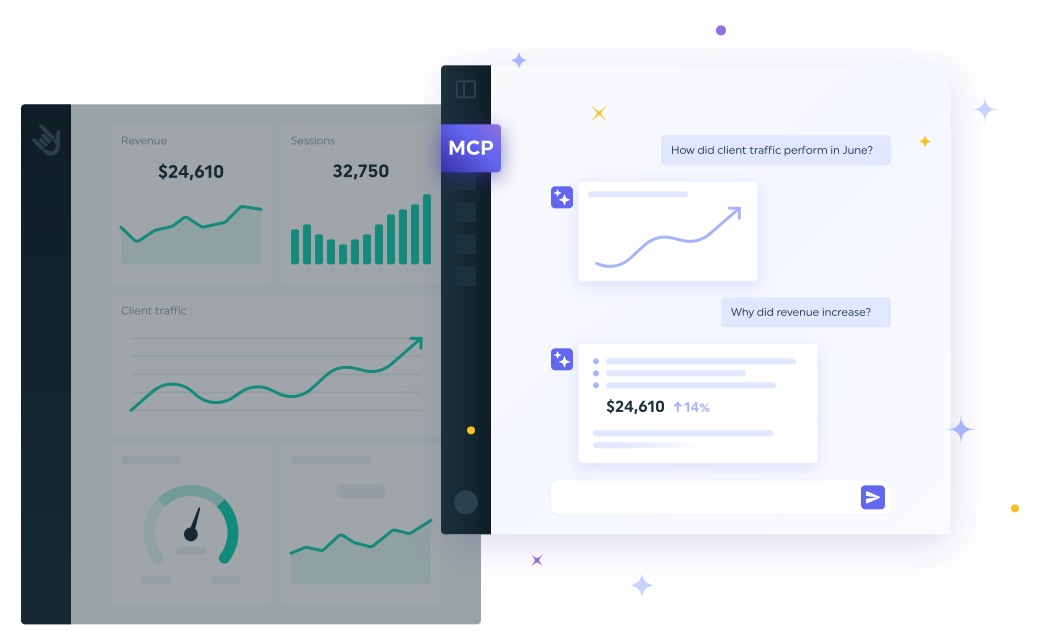
How it works is simple. To query your client's cost per acquisition (CPA) and return on ad spend (ROAS) on Google Ads, you can then ask something like, "On the Google Ads dashboard, compare this August's CPA and ROAS with last August's, then draft a client email explaining what changed."
If the client's goals and strategy documents already sit in a Claude or ChatGPT project, the assistant can check the numbers against those goals before it makes a recommendation.
Lior Eldan, COO of the mobile marketing agency Moburst, gave an early example of how MCP can make reporting quicker, on the Growth Masterminds podcast in June 2025. Once the mobile measurement platform Singular added MCP support, Eldan said his team could "consolidate six reports worth of data" into a single chat. He described it as skipping the usual step of waiting on an analyst or BI team to pull the numbers first.
You choose which servers to connect to your marketing stack, and each one has its own access level. A read-only server lets your AI look at your data. A server with write access lets it change things too, like the widgets in a report.
The three kinds of MCP servers for marketing reporting
MCP servers for marketing reporting fall into three kinds, and you only need the ones that match your job.
| Categoría |
Examples |
Ideal para |
Considerations |
| Single tool servers |
GA4, Google Ads, Meta Ads, HubSpot, Ahrefs |
Checking one platform's numbers at a time, such as a single ad campaign, SEO rankings, or email marketing performance |
Not every platform has an official server, so check who built yours. Google's are read-only, while Meta's and HubSpot's can also make changes to your data. |
| Marketing attribution servers |
SegmentStream, SourceLoop |
Working out which channels drive sales or pipeline, beyond what each ad platform reports |
Both can also write to your ad platforms |
| Reporting servers |
DashThis, Whatagraph, AgencyAnalytics |
Client reporting across several platforms, using data your reporting platform already has |
Some are read-only, others can also edit your reports |
So why not connect every MCP server available? Every server you connect to adds risk in two ways:
Security:
Each connected server gives your AI assistant access to another system. Anthropic's documentation notes that linking to a third-party MCP server can mean connecting to a service Anthropic hasn't verified, and advises connecting only to servers from organizations you trust. OpenAI's developer mode documentation, aimed at developers building and testing MCP-based apps, tells ChatGPT users to watch for malicious MCP servers that try to steal information, and for AI mistakes on write actions that could destroy data.
Whatagraph's MCP, for example, can create, update and delete reports and data sources on plans that include those tools. A badly worded instruction changes your client's report in ways you didn't plan for. The same risk applies to SegmentStream's and SourceLoop's MCPs, as both can write to your ad platforms, so a wrong instruction there could misdirect ad spend just as easily.
Performance:
Each server has its own set of tools, meaning the individual actions your AI can call. The more tools your AI can choose from, the harder it is to pick the right one. Anthropic's developer documentation says tool selection accuracy drops once over 30 to 50 tools are loaded at once, and the tool definitions also use up part of the AI's working memory. Connect a handful of servers, and you're already past the low end of that range.
To narrow down which MCP servers to connect to your AI assistant, start with what you want to achieve, then pick a server that fits that job and an access level you're comfortable with:
- If you need answers from one marketing platform, a single MCP tool server does the job.
- If you need several platforms in one place, use a reporting server to ask about your existing client reports, or a marketing attribution server to work out which channels drive sales.
- If read-only access is enough for now, start there, since it's the safer choice. If your AI needs to make changes too, like editing a campaign performance report, check that a server allows write access before you connect.
Single tool servers connect one platform at a time
Single tool servers connect your AI to one platform's data, such as a Google Ads account or a Google Sheet. Setup depends on who built the server.
Some platforms publish their own official servers. Google, for example, has a Google Analytics MCP server that is read-only, so it can't edit your Google Analytics settings. You install it yourself from GitHub.
Other platforms have no official server support. LinkedIn's developer documentation for marketing lists no MCP server among its products as of September 2026. We searched Google for an official LinkedIn MCP server, and every server in the results came from a third party:
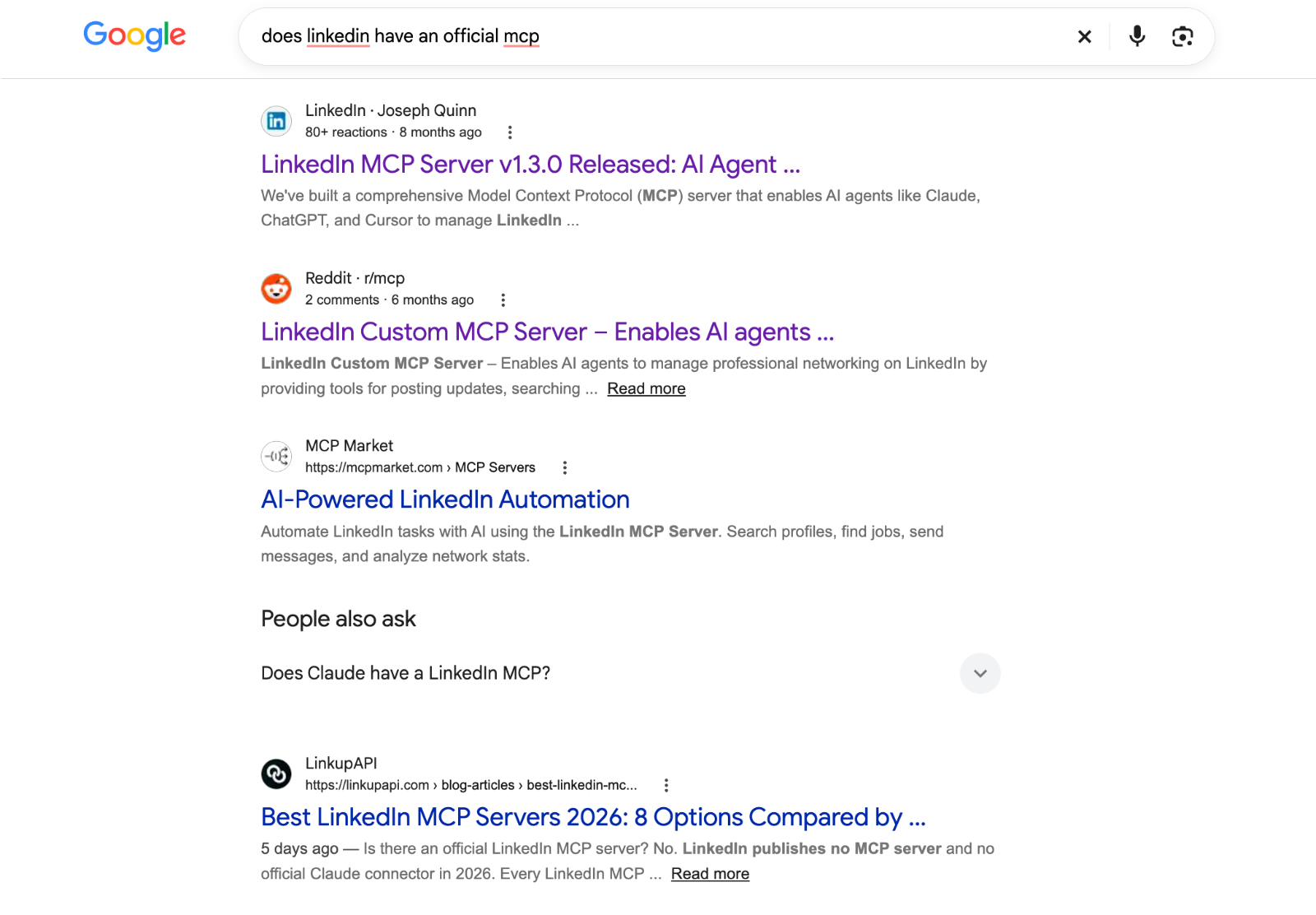
A selection of third-party MCP servers available for LinkedIn, shown in Google Search results in September 2026
Before you use a third-party server to create client campaign reports with AI, run four checks:
- See when it was last updated. Platforms retire old versions of their APIs, the connections outside software uses to reach their data. A third-party developer may need time to catch up. LinkedIn, for example, shuts down its October 2025 API version on October 15, 2026 and tells developers to migrate to avoid disruptions.
- Read the permissions it asks for. Some third-party servers are read-only. Others also ask for write access, which lets your AI create campaigns or change their status. Anthropic advises reviewing the permissions a server requests when you sign in, so approve only the access the job needs.
- Find out how it handles your credentials. Some servers, especially ones that run on your own computer, ask you to store API keys or access tokens, the codes that let the server access your account. That makes you responsible for keeping them secure. Others use OAuth, where you sign in and approve access instead.
- Get the code checked. Open-source servers publish their code, so a developer can check what the server does with your data before you connect it. If you aren't familiar with code, ask someone with more expertise, or stick with official servers.
Marketing attribution servers show which channels drive sales
Connect an attribution server when the numbers each platform reports aren't enough. Marketing attribution servers work out which channels deserve credit for a sale and track how much revenue each lead brings in. Two examples:
- SegmentStream pulls data from over 20 ad platforms, plus web analytics and CRM sources, into a data warehouse, a database built to hold large amounts of data. That can be your own, such as Google BigQuery, or one SegmentStream provides. From there, it attributes each sale to the channels behind it and recommends budget changes. One click applies them across your ad platforms. The MCP server comes with the platform, but pricing works by project, so expect a discovery call before you know how much to pay.
- SourceLoop tracks each lead's source and journey through to closed revenue in your CRM. Its MCP server lets you ask Claude or ChatGPT which channels drove pipeline, using live data. With write permission, it can also send closed deals to Google Ads and Meta as conversions, so those platforms can bid toward the leads that become customers. SourceLoop's pricing page lists the MCP server on the Professional plan at $99 a month.
Reporting servers let your AI assistant read your client reports
Connect a reporting server when you want one place to ask about every client report you've already built, instead of jumping between different servers for all your marketing data. Your agency reporting platform combines each client's data sources. Ask why a client's ROAS shifted last month, and your AI assistant answers from that client's dashboard, referencing every data source you've connected to it.
Reporting servers differ most on two things: whether your AI can change reports, and how many clients it can see at once. Whatagraph's MCP can edit reports on the plans that include it. The AgencyAnalytics MCP answers about one client per query, so you can't ask it to compare accounts. As of September 2026, our own MCP connector is read-only: it can't create, edit or delete anything in your account, and it works from one dashboard at a time.
Our guide to using DashThis's MCP connector in your reporting has eight examples and more than 50 prompts you can copy.
Try DashThis's MCP connector
Choosing the right MCP server comes down to what you want your AI assistant to see, whether that's one platform's data, which channels drive sales, or the reports you've already built.
If you want to go deeper, our guide on what MCP changes for your reporting covers what MCP solves, what still needs you involved, and whether to build your own server or use an automated reporting platform that already has one built in.
Our MCP connector is available on every plan, including the free trial, as long as you have at least one dashboard. Connect DashThis to Claude or ChatGPT to prepare for your meetings, check numbers and draft client updates from the same data you and your clients see on their dashboards. Start with a free 14-day trial.
PREGUNTAS FRECUENTES
What is the difference between MCP and RAG?
RAG (retrieval-augmented generation) pulls relevant passages from a knowledge base, such as a library of PDF files, and adds them to the prompt before the AI model answers. MCP connects the large language model (LLM) behind your AI assistant to a system, such as your marketing dashboards, so it reads current numbers when you ask. You can use RAG for reference material and MCP to work from your latest data.
What are the main types of MCP servers for marketing reporting?
Single tool servers, such as GA4, Google Ads and TikTok Ads, give your AI one platform's data through an official server. Some platforms, such as LinkedIn and ecommerce platforms like Shopify, have no official server for this, so the only options come from third parties. Marketing attribution servers, such as SegmentStream and SourceLoop, show which channels drive sales and pipeline. Reporting servers, such as DashThis, Whatagraph and AgencyAnalytics, let your AI read your client reports.
Which MCP servers are best for marketers?
If you only need one platform's data, a single tool server, such as GA4 or Google Ads, is enough. To ask questions about your client reports, connect a reporting server, such as DashThis, Whatagraph or AgencyAnalytics. Look at a marketing attribution server, such as SegmentStream or SourceLoop, if you need to know which channels drive sales or pipeline.
How does MCP improve marketing reporting accuracy?
MCP improves accuracy when your AI reads numbers straight from your reporting platform, instead of numbers you retyped or exported. The figures your AI analyzes then match the figures in your client reports. Your AI can still misread accurate numbers, so check its explanations and what numbers it’s pulling from before you send them to a client.
Why does MCP matter for marketing teams?
MCP matters for marketing teams because it lets your AI assistant work from current numbers instead of copied and pasted numbers that go out of date, not to mention tedious to maintain. When your AI assistant connects to your reporting platform, the data analysis, brainstorming and recommendations you already do in Claude or ChatGPT start from what's live in your client's dashboards.